What is a Snip to PDF Tool? Everything You Need to Know
Discover the Snip to PDF tool—the most secure and private way to capture, crop, and convert any image, screenshot, or document section into a professional PDF without uploading files.
In today's digital workflow, we often need to extract specific information from a screen, a document, or an image. Whether it's a chart from a financial report, a diagram from a textbook, or a snippet of a webpage, the traditional process of "screenshot -> save -> paste in Word -> export to PDF" is slow and inefficient. This is where a Snip to PDF tool becomes essential.
The Snip to PDF tool on MyPDF is a specialized utility designed to bridge the gap between a desktop snipping tool and a professional PDF converter. But it offers one thing most online converters don't: 100% privacy through local processing.
Why Use a Snip to PDF Tool?
Unlike standard PDF converters that transform an entire file, a Snip to PDF tool allows for granular control. It is perfect for users who need to crop and convert specific sections of visual data into a portable, high-quality document format.
1. Unmatched Data Privacy (Zero-Upload)
The biggest concern with online PDF tools is data security. Most "Free PDF Converters" require you to upload your files to their servers. With MyPDF’s Snip to PDF, the entire process happens locally in your browser. Your sensitive screenshots, bank statements, or personal IDs never leave your device.
2. Multi-Source Capture
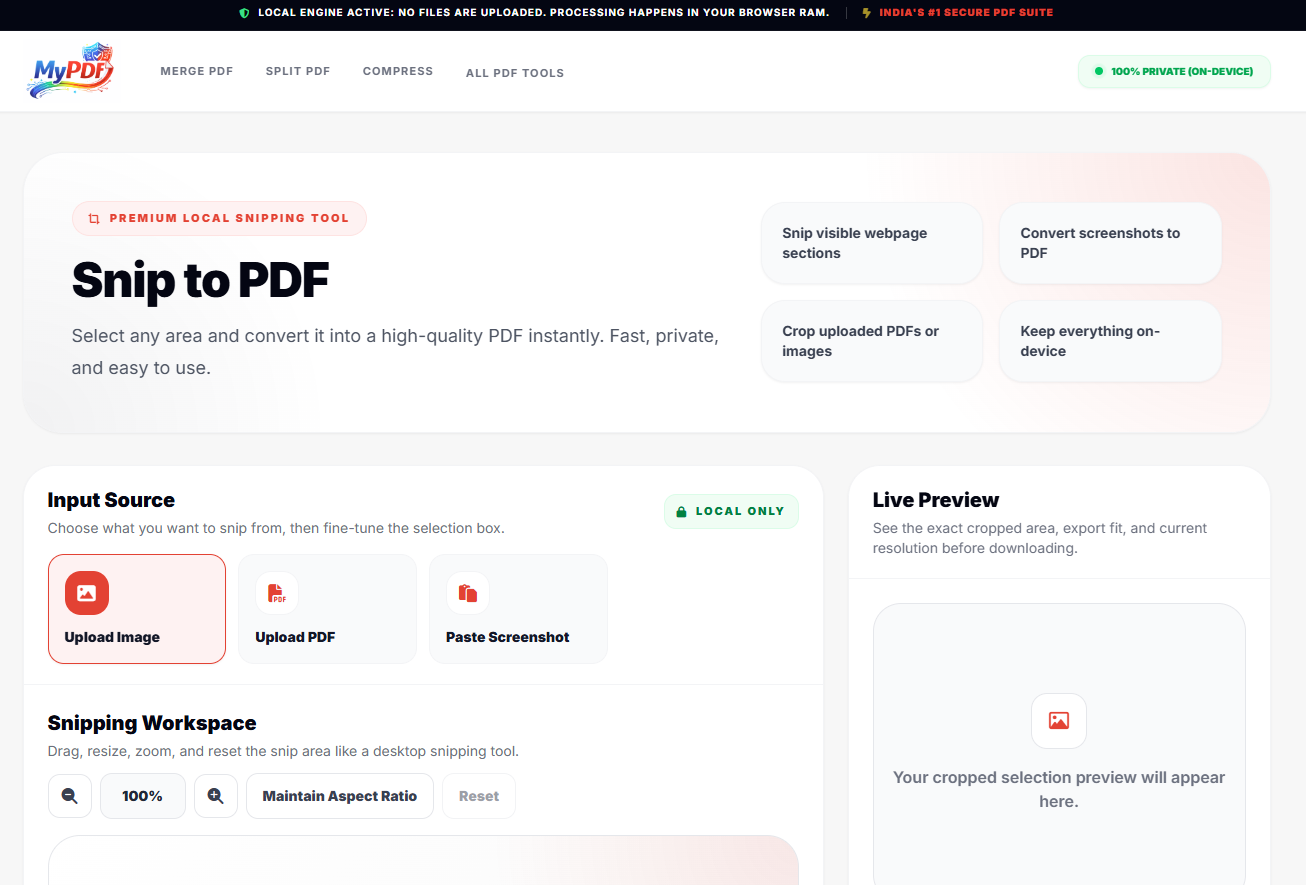
A versatile Snip to PDF tool should handle more than just files. MyPDF allows you to:
- Upload Images: Convert JPG, PNG, or WEBP snippets.
- Extract from PDFs: Open an existing PDF and "snip" out specific charts or paragraphs.
- Paste from Clipboard: Use the Paste Screenshot feature to instantly turn a PrintScreen (Ctrl+V) into a PDF.
3. Professional-Grade Formatting
Instead of a messy image file, you get a polished PDF. You can customize the page size (A4, Letter, Auto), set margins, and choose Portrait or Landscape orientations to ensure your document looks professional when shared or printed.
Key Benefits for Professionals and Students
- Students: Quickly capture study notes from online lectures and compile them into a single PDF.
- Business Analysts: Snip specific data visualizations or tables from large reports for presentation decks.
- Researchers: Save citations or specific excerpts from digitized books with ease.
If you're looking for a secure, fast, and local way to convert screenshots to PDF, the Snip to PDF tool is your best choice. It eliminates the need for expensive software while keeping your data 100% private.